
Are you still using a 4G phone and wondering if you can somehow upgrade it to 5G without buying a new device? You’re not alone — millions of people around the world are asking the same question in 2026.
The short answer might surprise you. But before you give up or spend money on a new phone, read this article carefully. We’ll explain everything in plain language — what’s possible, what’s not, and what your smartest options are right now.
What Does “Converting 4G to 5G” Actually Mean?
When people say they want to “convert” their 4G phone to 5G, they usually mean one of two things:
- They want their current phone to support 5G network speeds.
- They want to enjoy 5G benefits without buying a brand-new device.
Download Now
The truth is, 5G is not just a software feature — it’s a hardware technology. A 5G phone contains a special chip and antenna designed to receive 5G signals. A 4G phone simply does not have this hardware built in.
Think of it like a regular FM radio. No matter how many times you update its software, it will never pick up satellite radio signals — because it lacks the right receiver inside.
Why You Cannot Directly Convert a 4G Phone to 5G
This is the most important thing to understand clearly.
5G requires specific internal hardware, including:
- A 5G-compatible modem/chipset (like Snapdragon X65 or MediaTek M80)
- Millimeter wave (mmWave) or Sub-6GHz antennas
- Updated baseband processors
None of these components exist in a 4G phone. No app, setting, or software update can add physical hardware to your device. Any website or tool claiming to “activate 5G” on your old phone is misleading you — and may even be unsafe.
Bottom line: A true hardware conversion is not possible for everyday users.
Key Facts About 4G vs 5G Phones in 2026
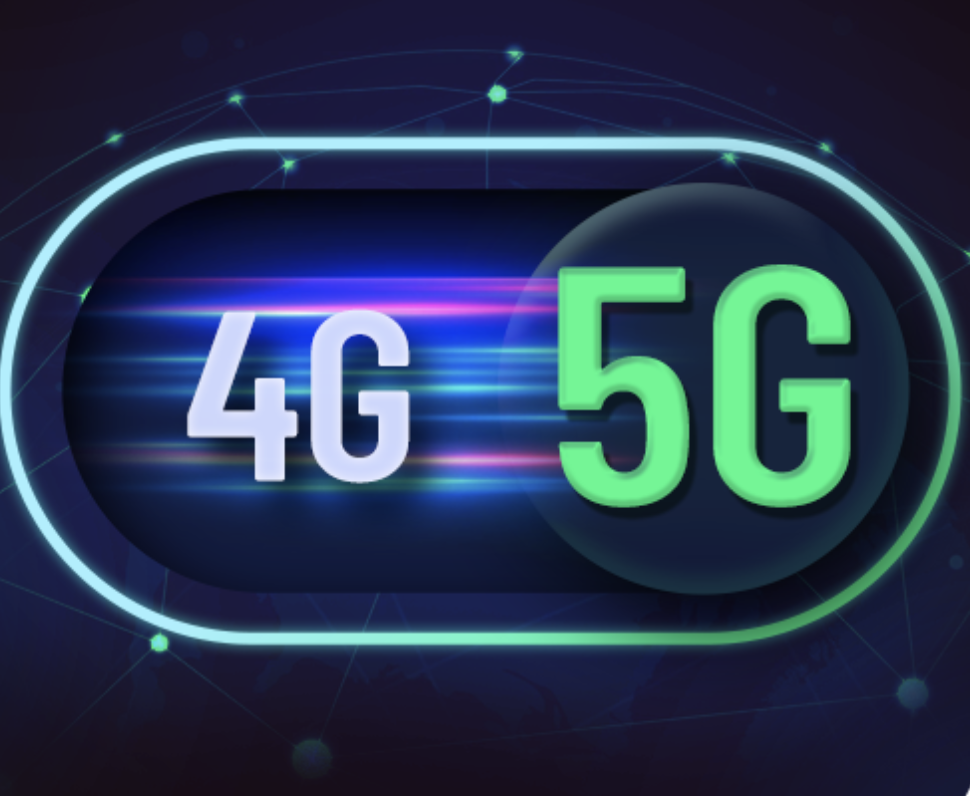
Here’s a simple comparison to understand the difference:
| Feature | 4G Phone | 5G Phone |
|---|---|---|
| Network Speed | Up to 150 Mbps | Up to 10 Gbps (ideal) |
| Latency | 30–50 ms | 1–10 ms |
| 5G Hardware | ❌ Not included | ✅ Built-in |
| Software Upgrade to 5G | ❌ Not possible | ✅ Already supported |
| Future-Proof | Limited | Yes |
What Are Your Real Options in 2026?
Even though you can’t convert your phone, you still have some practical and affordable paths forward.
1. Use a 5G Mobile Hotspot or Router
If you want 5G internet speeds at home or on the go, you can connect your 4G phone to a 5G Wi-Fi hotspot device. These compact devices connect to the 5G network and share the connection via Wi-Fi — so your 4G phone enjoys fast speeds over Wi-Fi.
This is a smart, budget-friendly solution for many users.
2. Upgrade to an Affordable 5G Smartphone
In 2026, 5G phones are far more affordable than they were just two or three years ago. Entry-level 5G smartphones are now available at very reasonable prices from brands like Xiaomi, Realme, Samsung (A-series), and Motorola.
If your 4G phone is already 2–3 years old, an upgrade might be closer to your budget than you think.
3. Trade-In Your 4G Device
Many phone retailers and carrier stores offer trade-in programs where you hand over your old 4G phone and receive a discount on a new 5G model. This reduces your cost significantly.
Explore trade-in options at your local carrier store or trusted online retailers.
4. Wait and Check for Software-Defined Features
Some newer 4G phones released in 2023–2024 were built with 5G-ready chipsets but had 5G disabled by the manufacturer. In rare cases, a carrier or manufacturer update may unlock partial 5G support. Check your phone’s official support page to see if any updates apply to your model.
Pros and Cons of Staying on 4G in 2026
✅ Pros of Keeping Your 4G Phone
- Save money in the short term
- 4G networks still work well in most areas
- No need to transfer data or set up a new device
- Good battery life on mature 4G devices
❌ Cons of Staying on 4G
- Missing out on faster speeds and lower latency
- Some new apps and services are being optimized for 5G
- 4G networks may start phasing out in some regions over the next few years
- Lower resale value over time
Practical Tips Before You Make a Decision
Here are some helpful steps to take before spending any money:
1. Check Your Current Phone’s Chipset Go to your phone’s settings and look up the model number. Then search it online to confirm if it has any 5G capability at the hardware level.
2. Check 5G Coverage in Your Area Even if you buy a 5G phone, you need 5G coverage nearby. Visit your mobile carrier’s official website and use their coverage map tool to check availability in your location.
3. Don’t Fall for Fake “5G Activator” Apps or Websites There are many misleading tools online claiming to “enable 5G” on any phone. These are not legitimate. They cannot change your phone’s hardware and may pose security risks. Avoid them entirely.
4. Consider Your Usage Before Upgrading If you mainly use your phone for calls, messages, and light browsing, 4G may still serve you well. If you stream 4K video, use cloud gaming, or work remotely, 5G is worth the investment.
5. Buy From Trusted Sources Only When you’re ready to upgrade, purchase from official brand stores, authorized resellers, or well-known e-commerce platforms to ensure you get a genuine 5G device.
FAQs — People Also Ask
Q1: Is there any app that can convert 4G to 5G? No. There is no legitimate app that can convert a 4G phone to 5G. The change requires physical hardware that cannot be added through software. Be cautious of any app making this claim.
Q2: Can a software update enable 5G on my 4G phone? In almost all cases, no. A very small number of phones were shipped with 5G hardware but had it disabled — and for those, a carrier update might help. But for standard 4G phones, a software update cannot add 5G capability.
Q3: Will 4G phones still work in 2026 and beyond? Yes, for now. 4G (LTE) networks are still widely active around the world and will continue to operate for several more years. However, in some countries, gradual phase-outs may begin by the late 2020s.
Q4: What is the cheapest way to experience 5G? The most affordable options are either buying an entry-level 5G smartphone or using a 5G mobile hotspot device to bring 5G speeds to your existing 4G phone via Wi-Fi.
Q5: How do I know if my phone is 4G or 5G? Go to Settings → About Phone → Model/Specifications. Search your phone model online and check the official specs page — it will clearly state whether the device supports 5G.
Conclusion
The idea of converting a 4G phone to 5G sounds appealing — and it’s completely understandable why so many people search for it. But the honest truth is that 5G is built into the hardware of a phone, and that cannot be changed through any app or update.
The good news? In 2026, getting onto the 5G network is easier and more affordable than ever. Whether you choose a budget 5G smartphone, a 5G hotspot device, or a trade-in deal, you have real options available to you.
Don’t be misled by fake tools or misleading claims. Make a smart, informed decision — and enjoy the faster, more connected world that 5G offers.
👉 Explore the latest 5G smartphones at your nearest store or trusted online retailer and find the right upgrade for your needs.