Every time you connect to public Wi-Fi at a café, airport, or hotel, your personal data is at risk. Hackers, trackers, and even your internet provider can monitor your activity. That’s where a VPN comes in — your digital shield for browsing safely.
In this guide, you’ll learn what a VPN is, why you need one on your phone, which options are considered the best in 2026, and how to choose the right one for your needs. Whether you use Android or iOS, this guide has you covered.
What Is a VPN?
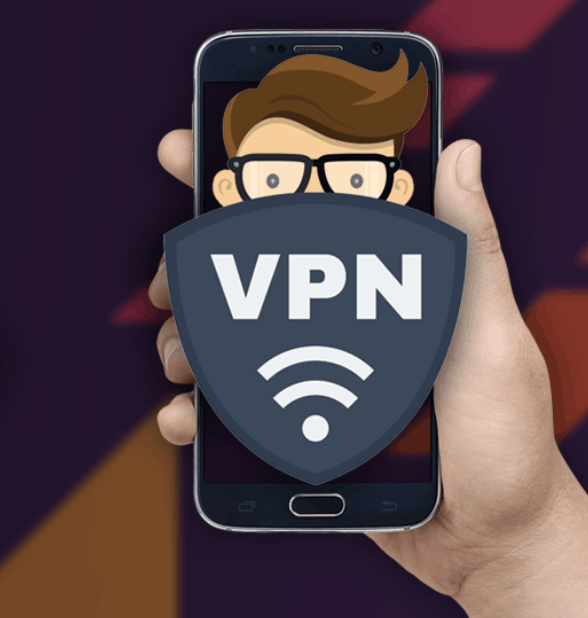
A VPN, or Virtual Private Network, is a tool that hides your internet activity by routing your connection through a secure, encrypted server in another location.
Think of it like this — instead of walking down a busy street where everyone can see you, a VPN puts you in a private, invisible tunnel. No one can see where you’re going or what you’re doing online.
On mobile devices, VPNs work through simple apps that run quietly in the background while you browse, stream, or shop.
Why Do You Need a VPN on Your Phone?
Most people think their phone is already secure. But your smartphone is actually one of the most vulnerable devices you own.
Here’s why a VPN matters for mobile users:
- Public Wi-Fi Protection — Coffee shops and airports are hunting grounds for data thieves. A VPN keeps your connection private.
- Privacy from Trackers — Advertisers and apps constantly track your location and habits. A VPN limits that exposure.
- Secure Online Shopping & Banking — Encrypting your connection adds a layer of safety when entering card details or passwords.
- Access to Global Content — Some websites and streaming platforms show different content based on your location. A VPN lets you browse without those restrictions.
- Avoid ISP Snooping — Your internet provider can see every site you visit. A VPN blocks that view entirely.
Best VPN Apps for Android and iOS in 2026
Here are the most trusted and widely used VPN services available on both Android and iOS platforms. All options listed are legal, legitimate, and safe.
1. ExpressVPN
ExpressVPN is one of the most popular choices globally and for good reason. It offers blazing-fast speeds, military-grade encryption, and a clean, beginner-friendly app.
Best for: Speed lovers and streaming enthusiasts Platforms: Android & iOS Servers: 3,000+ in 105 countries
2. NordVPN
NordVPN is a household name in the VPN world. It combines strong security features with an easy-to-use mobile interface. It also includes extras like a built-in ad blocker and malware protection.
Best for: Security-focused users Platforms: Android & iOS Servers: 6,000+ in 111 countries
3. Surfshark
Surfshark is an excellent option for users who want to protect multiple devices without breaking the bank. It allows unlimited simultaneous connections under one plan.
Best for: Families and budget-conscious users Platforms: Android & iOS Servers: 3,200+ in 100 countries
4. ProtonVPN
Built by the team behind ProtonMail, ProtonVPN is known for its strong privacy principles. It’s open-source and offers a free tier — making it a great starting point for VPN beginners.
Best for: Privacy-first users and beginners Platforms: Android & iOS Servers: 6,500+ in 112 countries
5. Private Internet Access (PIA)
PIA has been around for years and has built a solid reputation for transparency and reliability. It’s highly customizable for advanced users while still being simple enough for everyday use.
Best for: Advanced users and tech enthusiasts Platforms: Android & iOS Servers: 35,000+ worldwide
VPN Comparison at a Glance
| VPN Service | Speed | Security | Free Plan | Best For |
|---|---|---|---|---|
| ExpressVPN | ⭐⭐⭐⭐⭐ | ⭐⭐⭐⭐⭐ | No | Speed & Streaming |
| NordVPN | ⭐⭐⭐⭐⭐ | ⭐⭐⭐⭐⭐ | No | Security Features |
| Surfshark | ⭐⭐⭐⭐ | ⭐⭐⭐⭐ | No | Budget & Families |
| ProtonVPN | ⭐⭐⭐⭐ | ⭐⭐⭐⭐⭐ | Yes | Privacy Beginners |
| PIA | ⭐⭐⭐⭐ | ⭐⭐⭐⭐ | No | Advanced Users |
Pros and Cons of Using a VPN on Mobile
✅ Pros
- Protects your data on public Wi-Fi networks
- Hides your browsing activity from ISPs and advertisers
- Adds encryption to sensitive tasks like banking
- Works silently in the background without affecting your experience
- Easy to set up — most apps take under 2 minutes
❌ Cons
- Can slightly slow down internet speeds (especially on free VPNs)
- Premium services require a monthly or yearly subscription
- Free VPNs often have data limits or weaker security
- Some apps and services may not work well with VPN enabled
- Battery usage can increase slightly on older devices
Practical Tips for Choosing the Right VPN
Choosing a VPN can feel overwhelming with so many options. Here are a few expert tips to help you decide:
1. Always check the privacy policy A trustworthy VPN should have a strict “no-logs” policy, meaning they don’t store records of your browsing activity. Look for VPNs that have been independently audited.
2. Prioritize speed for streaming, security for privacy If you mainly want to stream content from different regions, prioritize speed. If privacy is your main concern, look for advanced encryption options and a kill switch feature.
3. Test the free trial or money-back guarantee Most premium VPNs offer a 30-day money-back guarantee. Use this window to test the app on your device before committing long-term.
4. Avoid unknown free VPNs Free VPNs from unknown developers can be more dangerous than using no VPN at all. Some have been found to collect and sell user data. Stick with well-known, reputable providers.
5. Check server locations More server locations mean more flexibility. If you travel frequently or want access to content from specific regions, choose a VPN with wide global coverage.
6. Look for mobile-specific features The best mobile VPNs offer features like auto-connect on public Wi-Fi, split tunneling (so only certain apps use the VPN), and battery optimization.
Frequently Asked Questions (FAQs)
Q1. Is using a VPN on Android and iOS legal? Yes, using a VPN is legal in most countries around the world. However, a few countries have restrictions on VPN usage. Always check the local regulations of your country before using one.
Q2. Will a VPN slow down my internet connection? A VPN can cause a slight reduction in speed because your data is being encrypted and rerouted. However, premium VPNs like ExpressVPN and NordVPN are optimized to minimize this slowdown, and most users barely notice the difference.
Q3. Can I use a free VPN on my phone? Yes, but with caution. Free VPNs often come with data limits, slower speeds, and fewer server options. ProtonVPN is one of the few trusted free options. For heavy usage, a paid plan is recommended.
Q4. Does a VPN drain my phone battery? A VPN does use some extra battery power since it runs continuously in the background. The impact is usually minimal on modern smartphones, but older devices may notice a slightly faster battery drain.
Q5. Which VPN is best for both Android and iOS? ExpressVPN and NordVPN are consistently rated at the top for both platforms. They offer smooth, native apps on Android and iOS, regular updates, and reliable customer support.
Conclusion
Protecting your phone’s internet connection is no longer optional — it’s a smart habit for anyone who values their privacy and security online.
Whether you’re a casual browser, a frequent traveler, or someone who regularly uses public Wi-Fi, a reliable VPN app is one of the best tools you can have on your smartphone in 2026.
Start with a trusted name like NordVPN, ExpressVPN, or ProtonVPN, take advantage of free trials, and find the one that fits your lifestyle best.
Android VPN
IOS VPN
Stay private. Stay protected. Explore trusted VPN tools and get started today.
This article is for informational purposes only. Always use VPN services in accordance with your local laws and terms of service.